Learn how to protect your WordPress sites against zero-day vulnerabilities, brute-force attacks, and malware injections using the MASACP Security & Audit Engine. Explore core integrity scanning, folder freezing, SEO files management, search engine visibility, and real-time intrusion log analytics.
Securing WordPress from the hosting control panel prevents attacks before malicious requests ever reach PHP execution. MASACP combines file system immutability, automated attack drops, and clean core repair to guarantee enterprise-level resilience.
1
Security Hardening & Core Integrity
In the Security & Core Integrity tab, you have access to proactive protection mechanisms:
Deep Core Integrity Scan
Compares all local WordPress core files against official WordPress.org cryptographic checksums to detect modified, backdoored, or injected PHP files.
Disable Theme/Plugin Editor
Defines DISALLOW_FILE_EDIT in wp-config.php to prevent attackers who gain admin access from injecting web shells through the dashboard.
Freeze Installations
Enforces DISALLOW_FILE_MODS to completely block rogue installations or deletions of plugins and themes on production systems.
Block XML-RPC Attacks
Drops all incoming requests to xmlrpc.php at the web server layer, stopping brute-force amplification and DDoS reflection attacks instantly.
Reinstall Clean Core
Downloads pristine, untampered WordPress core files from the official repository and replaces corrupted system binaries without touching your content, themes, or database.
Shuffle Security Salts
Regenerates all secret authentication keys and salts in wp-config.php, immediately invalidating all active cookie sessions across all devices.
2
Folder & File Freeze (Read-Only Mode)
Under the Folder & File Freeze tab, you can lock vital directories into immutable read-only states:
- wp-content/uploads: Disables PHP script execution inside the media directory. Even if an attacker uploads a malicious PHP file masquerading as an image, the web server refuses to execute it.
- wp-includes & wp-admin: Locks system code directories to prevent unauthorized modifications or backdoor persistence.
- wp-content/plugins & wp-content/themes: Temporarily freezes installed extensions after updates to maintain code integrity.
3
Registration, Search Visibility & Debug Mode
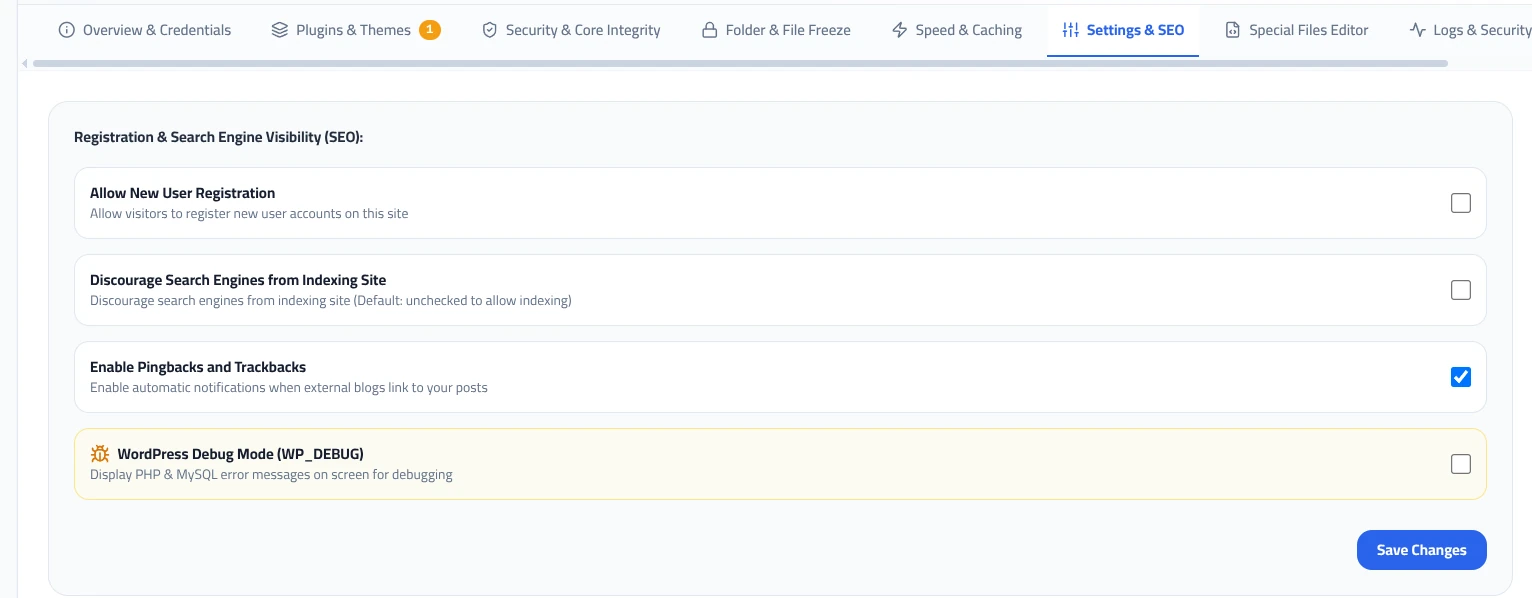
The Settings & SEO tab allows you to configure essential site behaviors with a single click:
- Allow New User Registration: Enable or disable public membership registration to prevent spam user account creation.
- Discourage Search Engines from Indexing Site: Injects
noindexdirectives automatically. Ideal for staging sandboxes, development environments, and pre-launch sites. - Enable Pingbacks and Trackbacks: Controls trackback notifications when external sites link to your articles.
- WordPress Debug Mode (WP_DEBUG): Toggles live PHP and MySQL error logging on screen to troubleshoot white screens, syntax errors, or plugin conflicts.
4
Special Files Editor (robots.txt, llms.txt & .htaccess)
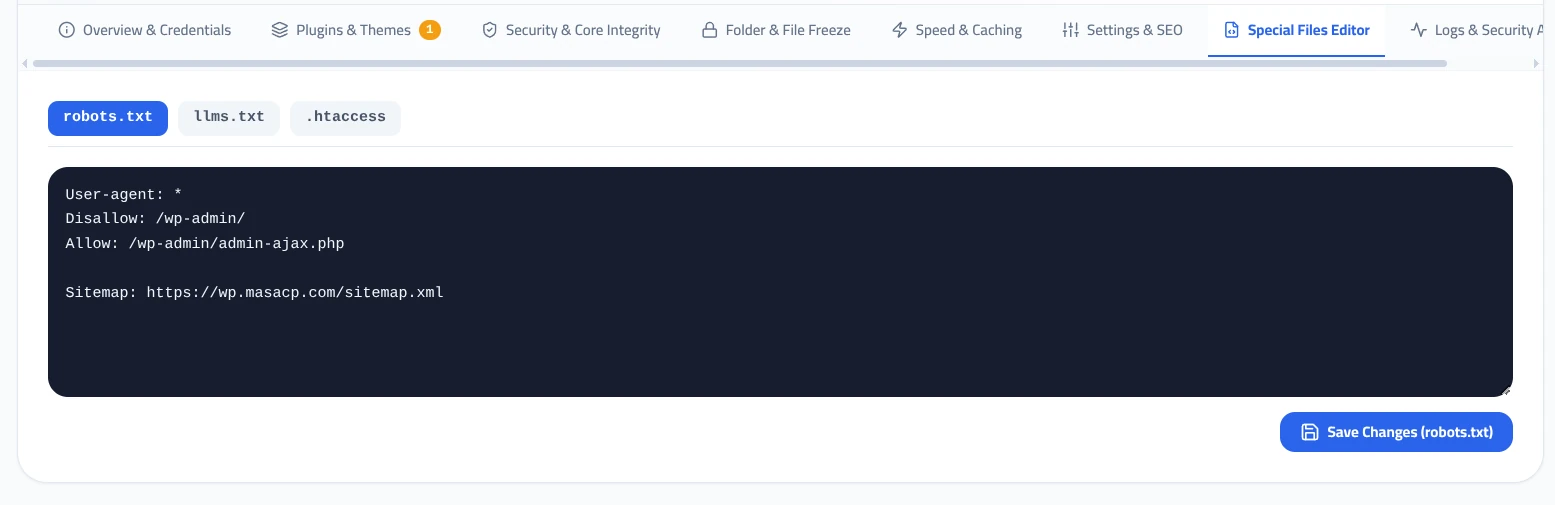
In the Special Files Editor tab, you can edit crucial crawl directive files directly without FTP access:
robots.txt
Manage crawl permissions for Googlebot, Bingbot, and other web spiders. Define disallow rules and link your XML sitemap URL.
llms.txt
The modern standard for Artificial Intelligence bots. Guide and curate how AI models (such as GPTBot and ClaudeBot) read your site’s content.
.htaccess
Directly configure rewrite rules and custom headers when running OpenLiteSpeed or Apache-compatible web servers.
5
Real-Time Attack Analysis & Access Logs
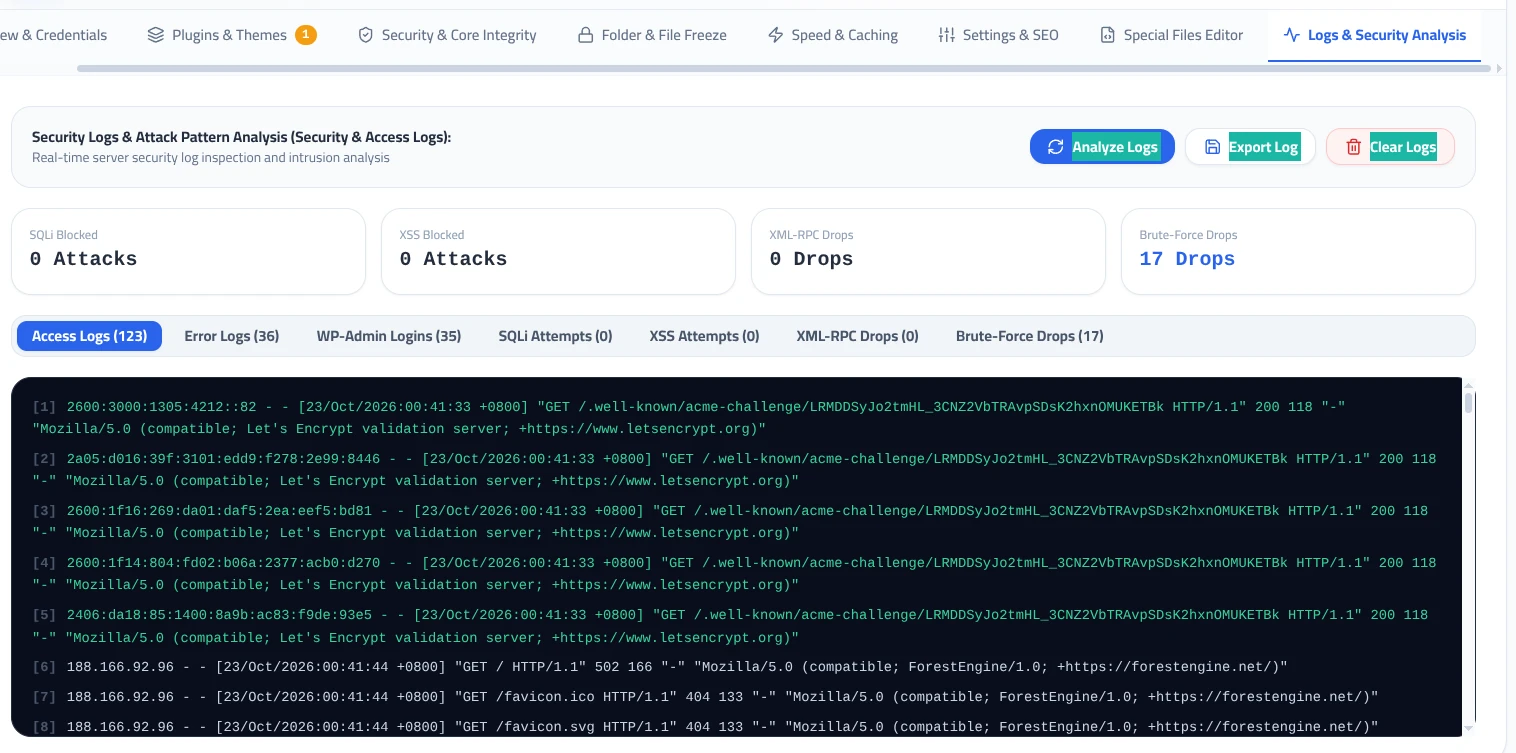
The Logs & Security Analysis tab provides real-time telemetry on incoming traffic and threat mitigation:
Attacks Counter
Attacks Counter
Dropped Requests
Blocked Attempts
Available Log Streams:
- Access Logs: Real-time streaming HTTP requests with IP, timestamp, method, and HTTP status code.
- Error Logs: Server and PHP-FPM warnings, fatal errors, and uncaught exceptions.
- WP-Admin Logins: Audit log recording successful and failed admin authentication attempts.
- Analyze, Export & Clear: Export logs as CSV/text files for compliance or clear buffers during troubleshooting.
Security Hardening Recommendations
Unless your site relies on the official WordPress mobile app or legacy Jetpack integrations, always keep Block XML-RPC Attacks active to eliminate over 80% of automated credential stuffing attempts.
Always ensure WordPress Debug Mode is unchecked on live production websites to prevent internal server paths and database query structures from leaking to visitors.